01 / Collect
Bring in bookings
Collect orders from connected OTAs in one place, instead of copying each booking by hand.

For tour operators selling across OTAs
Bring your OTA bookings into one place. Group guests into tours, arrange guides and vehicles, and keep travelers informed — without rebuilding the plan in a spreadsheet.
Bring bookings together from






The same tour. A different working day.
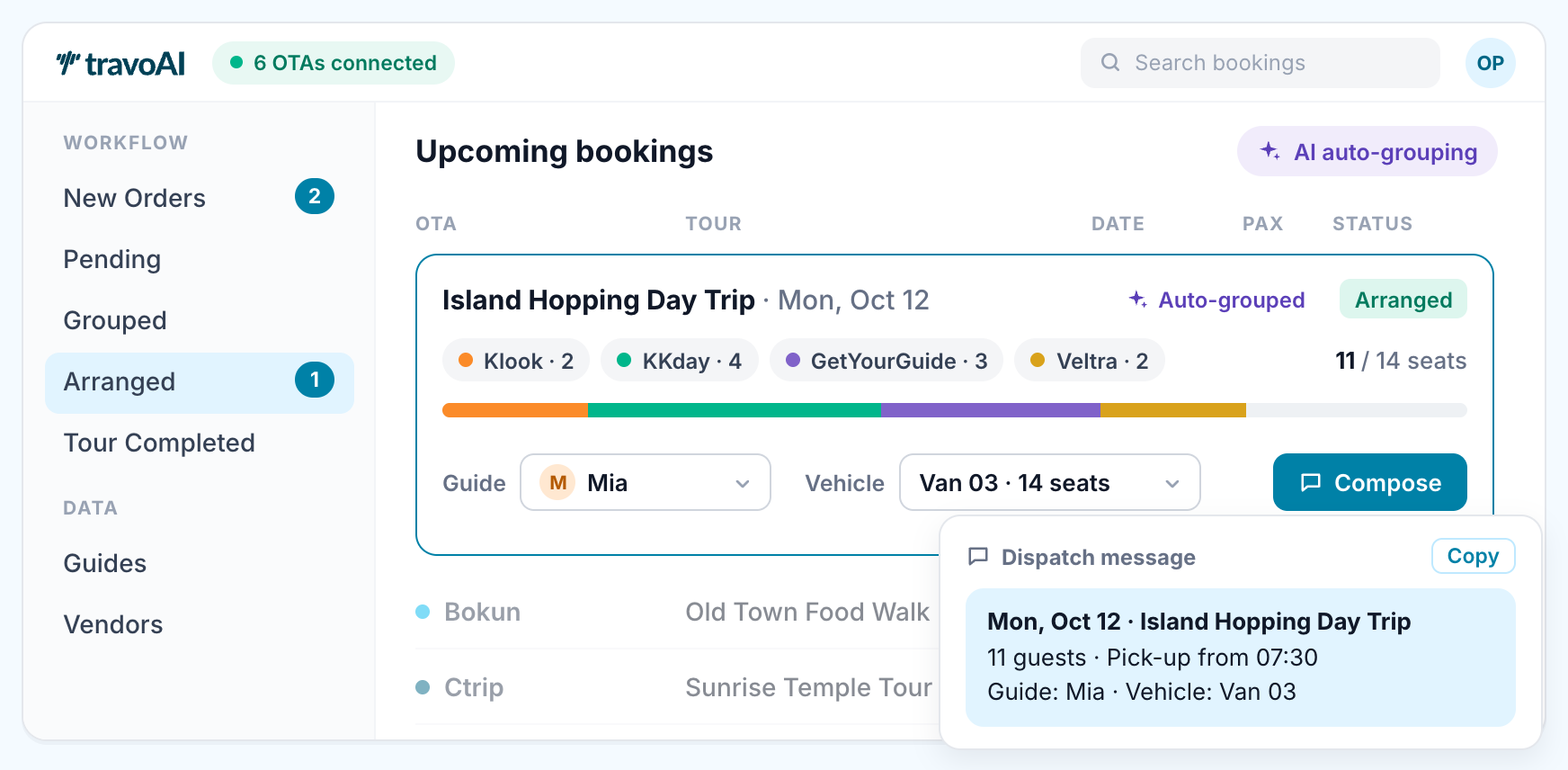
Bookings arrive on different platforms. Your guests still need one well-organized departure.
Bookings live in one workflow, so the team can move from reviewing orders to arranging the tour.
Open each OTA, copy the details into a spreadsheet, then work out which bookings belong together.
Illustrative workflow comparison, not a customer result or a live product demo.
Built around the work of running tours
Keep the work connected as bookings become groups, groups become departures, and guests return home.
Collect orders from connected OTAs in one place, instead of copying each booking by hand.
Use cross-OTA grouping to organize compatible bookings into the same tour.
Assign guides and vehicles to the group and review the tour’s arrangements.
Manage tour confirmation and information emails so travelers know the details.
Send review-request emails after the tour and give guests a clear next step.
Your first steps
Create your account with Google, connect an OTA, then review your incoming orders. You don’t need to set up every channel at once.
Start freeSelect “Continue with Google” on the sign-up page and follow the organization setup.
Have your OTA account details ready. Start with a supported platform; connection steps depend on the OTA.
Check the bookings and tour details, then start organizing groups and arrangements with your team.
Room to start. Room to grow.
Start free with up to 300 orders per month. Every tier includes unlimited team members, unlimited OTA connections and all features.
Need help mapping your workflow?
Contact the TravoAI team
| Orders departing / month | Monthly price |
|---|---|
| 0–300 | Free |
| 301–1,000 | $49/ mo |
| 1,001–3,000 | $149/ mo |
| 3,001+ | $249/ mo |
One OTA booking number counts as one order, regardless of guest count, in the month it departs. Cancelled orders and past orders departing before you connected the OTA don’t count.
Before you begin
TravoAI helps your team manage operations behind the bookings you receive from OTAs: orders, tour groups, arrangements and guest emails.
A Google account to create your TravoAI account and access to the OTA account you want to connect. The team can help you check the right connection for your workflow.
Yes. Email [email protected] with the platforms you use and the part of your operation you want to simplify.
Start with one account and your first booking source.